Robust WebGL Detection in TresJS Applications
While implementing 3D graphics in a web application using TresJS, I encountered a significant architectural challenge worth sharing: handling environments without WebGL support.
Background & Learning Resources
My implementation journey began with midudev's course on 3D experiences with Vue, taught by Alvaro Sabu. For those interested in diving deeper into this topic, I also recommend this excellent FireShip resource:
The Technical Challenge
During Chrome/MacOS testing, I encountered this error:
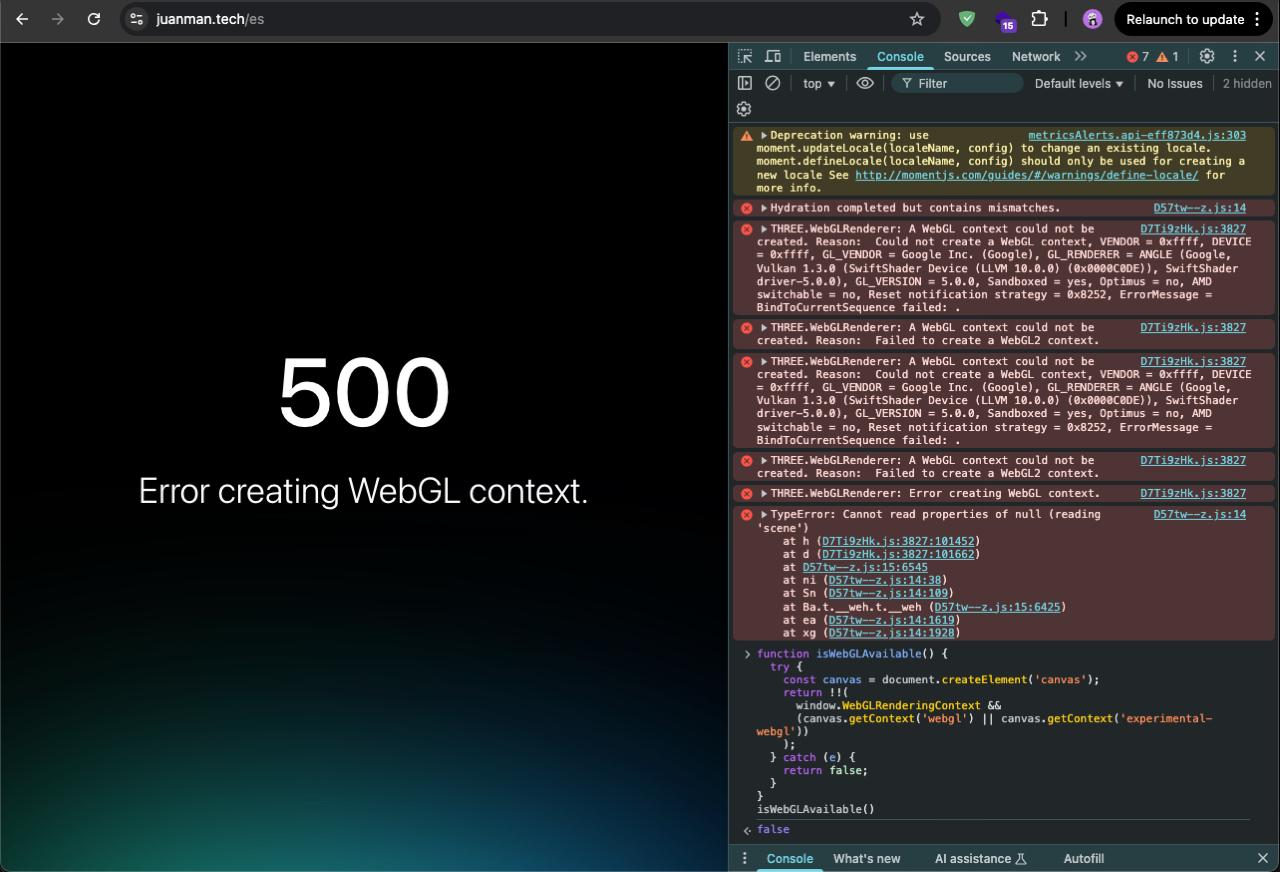
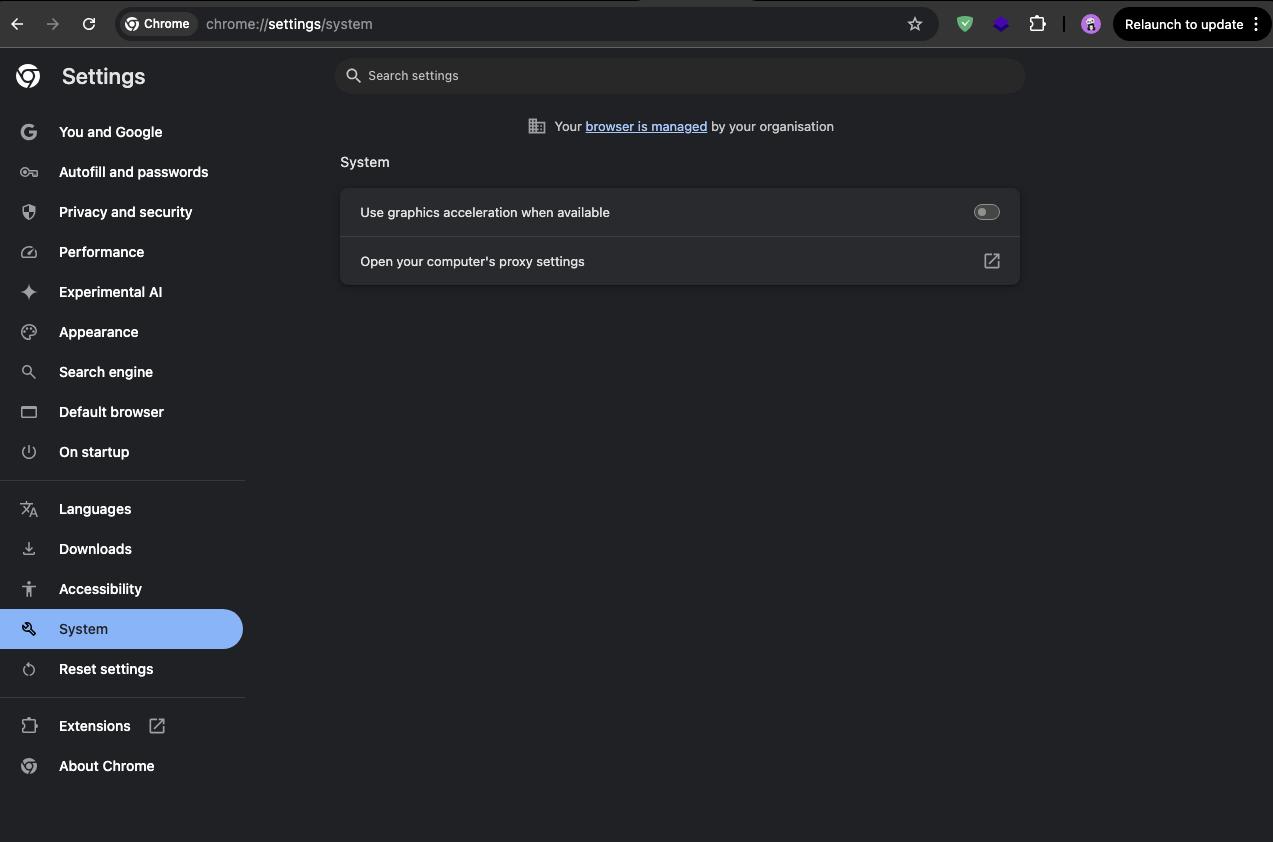
Initially suspected to be a MacOS-specific issue, the root cause was actually disabled hardware acceleration in the browser:
Engineering a Robust Solution
While enabling hardware acceleration resolved the immediate issue, this scenario prompted me to implement a more resilient strategy. Web applications must gracefully handle various client-side configurations.
WebGL Support Detection
This utility function provides reliable WebGL availability detection:
function isWebGLAvailable() {
  try {
    const c = document.createElement('canvas');
    return !!(
      window.WebGLRenderingContext &&
      (c.getContext('webgl') || c.getContext('experimental-webgl'))
    );
  } catch (e) {
    return false;
  }
}
Implementation with Visual Feedback
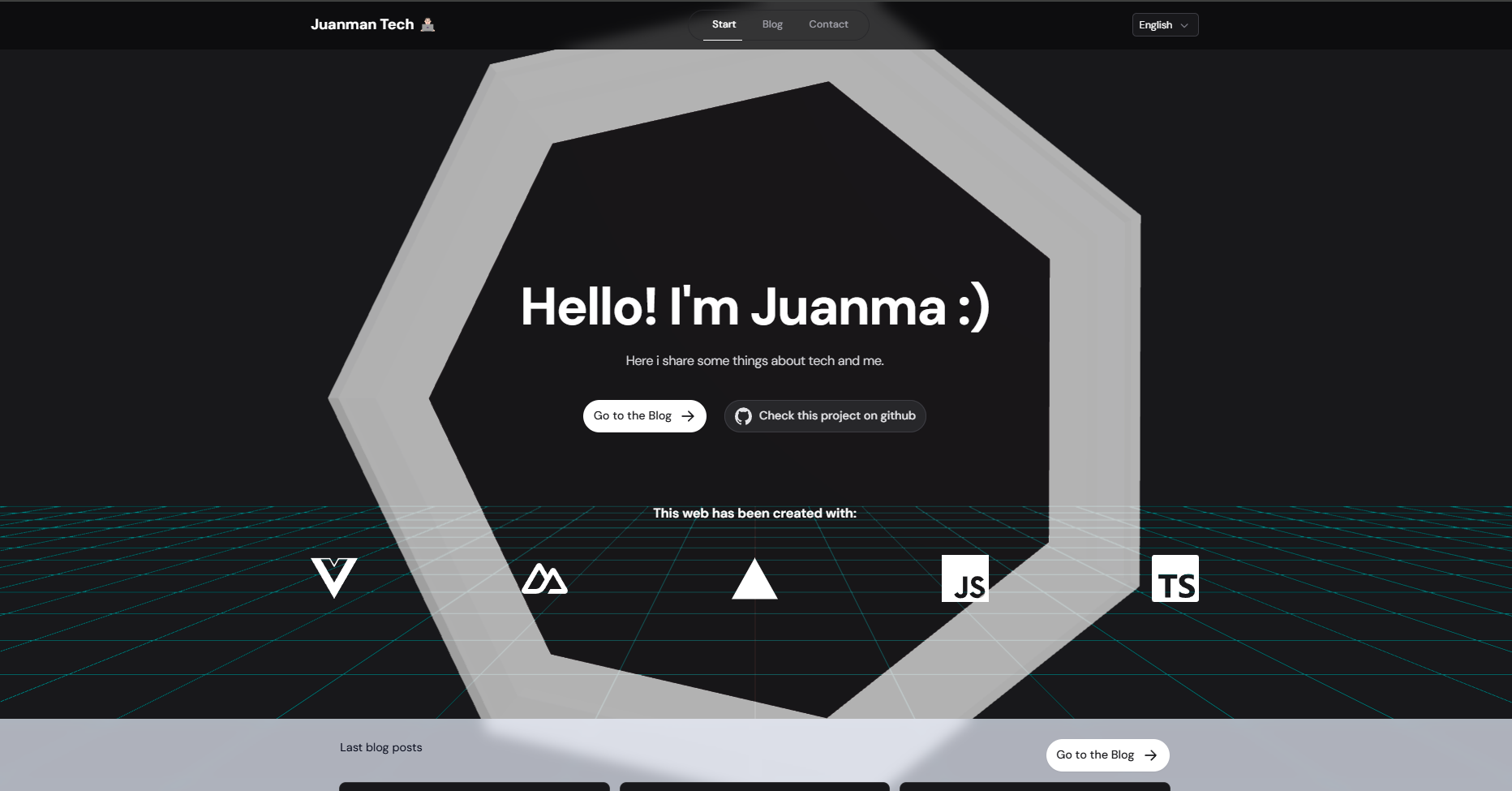
To enhance UX, I implemented smooth state transitions using CSS and conditional rendering in Vue:
<template>
  <TresCanvas
    v-if="isWebGLAvailable"
    ref="canvas"
    :class="{
      'opacity-simple-animation-100': !isLoading,
      'opacity-simple-animation-0': isLoading
    }"
  >
    // ...3D canvas configuration...
  </TresCanvas>
  <div v-else class="fallback-content">
    <!-- Fallback content for non-WebGL environments -->
  </div>
</template>

<style lang="css">
.opacity-simple-animation-0 {
  opacity: 0;
  transition: opacity 0.5s ease;
  transform-style: preserve-3d;
}

.opacity-simple-animation-100 {
  opacity: 1;
  transition: opacity 0.5s ease;
  transform-style: preserve-3d;
}
</style>
Technical Benefits
This implementation provides several architectural advantages:
- Enhanced Visual Feedback: Smooth transitions improve perceived performance
- Application Resilience: Prevents cascading failures in non-WebGL environments
- Progressive Enhancement: Delivers appropriate experiences based on client capabilities
You can explore a live implementation and interact with the animation at /tools/tresjs.
Further Considerations
For production environments, consider implementing:
- Performance metrics tracking
- Automated WebGL support testing
- Fallback content optimization